

If your email account has been hacked, would you know what to do? Changing your password isn't good enough. You'll also want to make sure the hacker hasn't set up your account to let him get back in or to keep spamming, even after he's locked out. Here's what you...
20 Ways Google Assistant Can Make You More Efficient
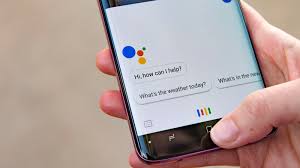
Google Assistant is artificial intelligence at your fingertips — but sometimes, it can be tough to know what to ask an omniscient robot to do. Here is the ultimate guide to Google Assistant's most useful productivity-oriented commands. Notes and reminders - 1) Launch Google Assistant by either holding down the...
Is Your Business Vulnerable to Cyberattack? Understanding Your Risks and Protecting Your Sensitive Data
Regardless of what size your business is, you shouldn't ignore cybercrime. Everyone is a target. Too many small businesses believe they are too little for cybercriminals to target them, thinking their data has no value. According to the Ponemon Institute's 2016 State of Cybersecurity in Small and Medium-Sized Business study,...
How to Use Google Docs Offline
Google Docs is great, but because it typically requires an internet connection to use, getting things done when you’re offline can be challenging. If you’re using Google Chrome, an official extension named Google Docs Offline changes that. First, you’ll need to install the Chrome extension Google Docs Offline. After installing...
Chrome Power User Features Everyone Should Know
Google Chrome is one of the most popular web browsers in the world, but it’s actually much more feature rich than something simply designed to browse the web. Chrome is almost a little self-contained operating system with its own apps and management structure. In fact, when it comes to Chromebooks,...