

Scrolling through a lengthy web page looking for a specific word or phrase is tedious and time-consuming. Thankfully, all major desktop and mobile web browsers support the universal Find function. It’s easy to use and makes scanning text-heavy posts a breeze. If you aren’t familiar with Find, this post will...
12 Free Productivity Apps that Will Save You Time

Productivity apps can help you consolidate important information, stay focused, easily store multimedia content for later viewing, and automate routine tasks. We found 12 free apps that are sure to make you more productive. They sync across devices so you can make them a part of your daily routine and...
Switch Between Tabs in Any Browser Using Keyboard Shortcuts
Browser shortcuts let you surf the web faster and more efficiently. There’s a lot you can do in your browser with shortcuts: re-open closed tabs, change screen/font size, automatically scroll through pages, and so on. If you jump between tabs using your computer’s trackpad or mouse, using keyboard shortcuts is...
How to Use Breakout Rooms in a Zoom Meeting

Zoom meetings can very easily feel overwhelming when there are a lot of people involved. A feature called “Breakout Rooms” can help large groups by allowing people to break off into smaller groups. It’s a handy trick to know. “Breakout Rooms” are similar in concept to working in groups in...
How to Insert a Signature in Google Docs
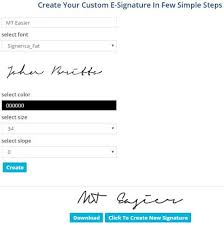
Adding your signature to a document may be a necessary step to create the final version. You might want to add a signature to a Google Doc to make it appear more official, to personalize it, or for other legal reasons. While Google Docs is intuitive and easy to use,...