

Windows users are in the crosshairs after a critical vulnerability in Zoom was actively exploited. The flaw, which affects multiple Zoom products on Windows, allows attackers to quietly escalate privileges, steal sensitive data, and burrow deeper into infected systems unless users update immediately. According to MSN, this flaw affects multiple...
This 41-Year-Old Windows Shortcut Is Still the Fastest Way to Multitask
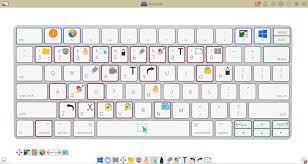
The modern Windows interface is primarily based around a graphical user interface (GUI) that you interact with using the mouse, but it isn't my preferred way to use my PC. Instead, I mostly use keyboard shortcuts, and at the heart of that approach is Alt+Tab. Alt+Tab is a multitasking dreamAlt+Tab...
Stop Paying for Productivity Apps—Windows Already Has a Better Pomodoro Timer Built-in

To be productive, human beings need periods of focus without interruption. If you're constantly interrupted, you keep wasting mental energy to get back on track, and that gets old fast. This is why I adopted the Pomodoro method and ever since I have never been more productive with my time...
2FA Explained: The Safest Ways to Protect Your Accounts
If you’re still relying on just a password to protect your online accounts, you’re gambling. Passwords get reused. They get leaked in data breaches. They get guessed. And once a criminal has your password, they can walk right into your email, bank account, or social media profile unless you’ve added...
How to Tell if Your Phone Has Been Hacked

From banking to email to social media, our phones hold the most sensitive parts of our digital lives. That also makes them a prime target for scammers, malicious apps, and in some cases, spyware installed by someone with physical access to the device. Attacks on smartphone users jumped 29% in...